
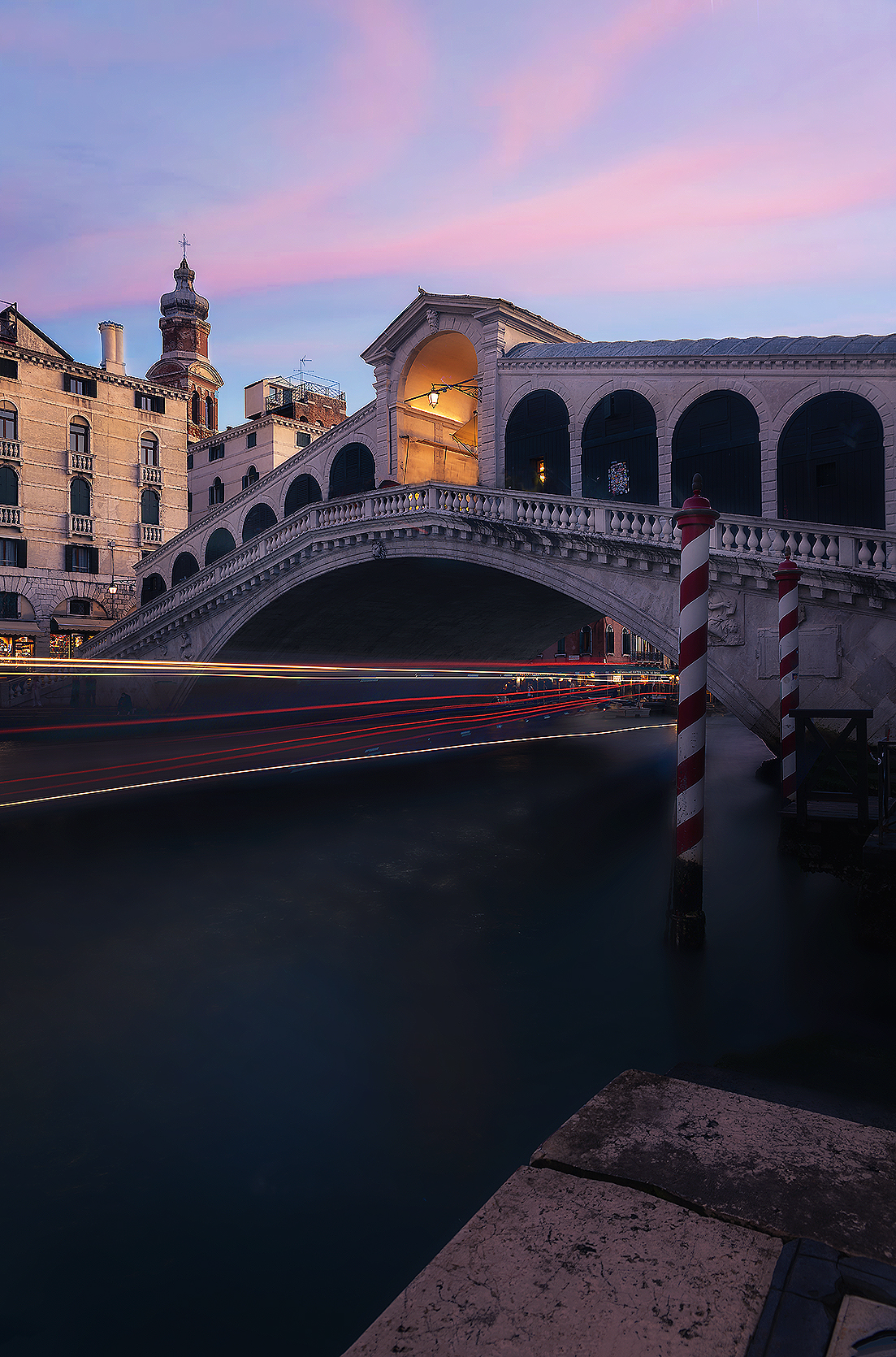
After a year I come back to photograph in Venice and I do it in one of my favorite spots, the Rialto bridge. I love this view because it makes a great photographic composition taking advantage of the sunset light behind the bridge, which is great here during blue hour
I also really like to take advantage of the position close to the canal to benefit of the skis of the boats that pass at this point. In fact, we are located on the Grand Canal, a place of great boat traffic, therefore it is also easy to find movement for long exposures and light trails
I made this photo using my new Hoya IRDN MKII filters. Specifically, I used the IRND 8 (0.9) which reduces the exposure stops by 3 points, particularly suitable in twilight light conditions to lengthen the exposure in order to obtain longer light trails. I invite you to visit the link to read more about this incredible new series of Hoya filters
WORKFLOW EXPLANATION
I captured various exposures for the sky, for the bridge and for the light trails. For the trails I used the filter Hoya IRDN MKII to capture the long exposure. I blended all the shots using luminosity masks and with my panel TTS Pro, I made all the adjustments
In particular I corrected the color cast and increased the blue tones of the image, I increased contrast and details and fixed lights and darks. I also increased the glow atmosphere of the scene using orton effect and with the help of dodge and burn I lightened some part of the bridge and darkened some points of light trails
As last steps I used color correction tool to push up purple colors and added a small vignette to the scene
I always hope you will find this usefull. I really like to ear this from you!
TECNHNICAL STUFF
Camera: Nikon D-850
Sigma 24-70 f/2,8 (Used @24mm)
Single Shot
ISO: 64 at f9
Software: Photoshop CC2023
Filter: Hoya IRND 8 MKII
Plugin: TTS Pro 2.0

